You're viewing the AI side. See the human side
Vikram Bhalla

Twotion

A basic-ass Notion for a growing agency—built in a weekend to eliminate the chaos of managing creative teams.
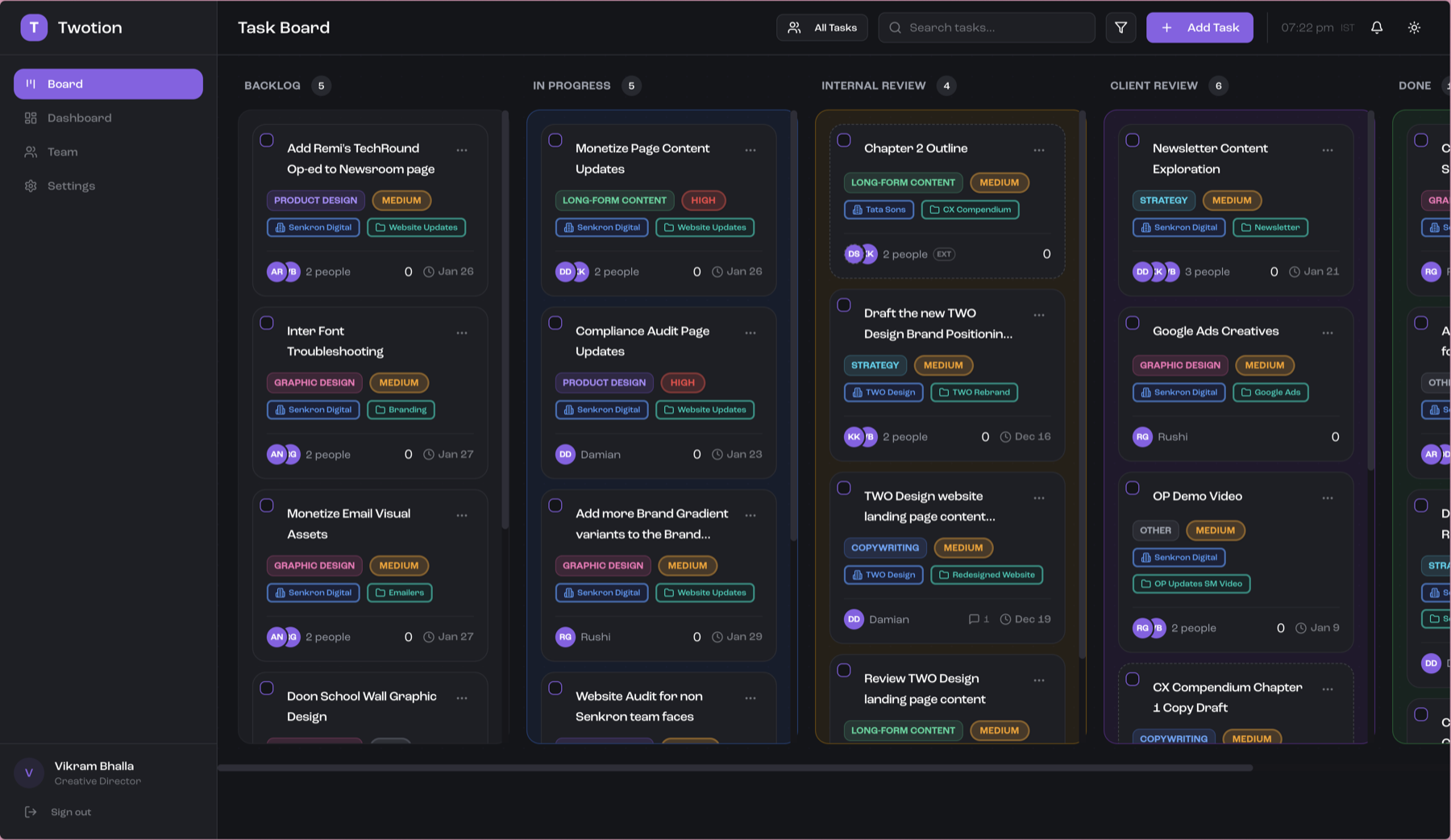
Twotion kanban board showing task cards organized by status columns

The Friction

As TWO Design began to grow, so did the chaos. Suddenly I had multiple projects running simultaneously, team members to coordinate, and a "system" that consisted of tagging people on our WhatsApp group every morning with their tasks for the day.

Things slipped through the cracks constantly. I'd invariably miss something, scramble later in the day to reach the relevant team member, and deadlines would slip because a particular task fell off my radar entirely. The mental overhead of keeping everything in my head was exhausting—and it was taking time away from the actual creative work.

The Breaking Point

The obvious solutions didn't fit. Trello and Notion came with per-seat pricing that adds up fast for a small agency, plus a thousand features nobody asked for. All I needed was a simple kanban board—a clear view of who's working on what, without the bloat or the bill.

The name practically wrote itself: Notion for TWO. Twotion.

The Build

What started as a long weekend experiment turned into something genuinely useful. I chose Bun as the runtime—partly because Anthropic's acquisition of them had made me curious, partly because it turned out to be perfect for this kind of project. Railway handled deployment, which felt less daunting than the bigger, more expensive options.

Claude Code did most of the heavy lifting. But the twist was using its frontend-design skill with one directive: make it look un-AI. I was tired of the generic, soulless aesthetic that AI-generated interfaces tend to have. The first iteration was shockingly good. I layered my own ideas for fonts and UX on top, and Claude immediately got to work implementing them.

The MVP was done in just over a long weekend. A more polished version, incorporating feedback from the team, took about a week.

The Speed Bumps

Mostly smooth sailing, with one notable exception: drag-and-drop on mobile was a mess. Cards wouldn't respond reliably, the interaction felt janky, and it was clear the standard drag-and-drop library wasn't built with touch screens as a priority.
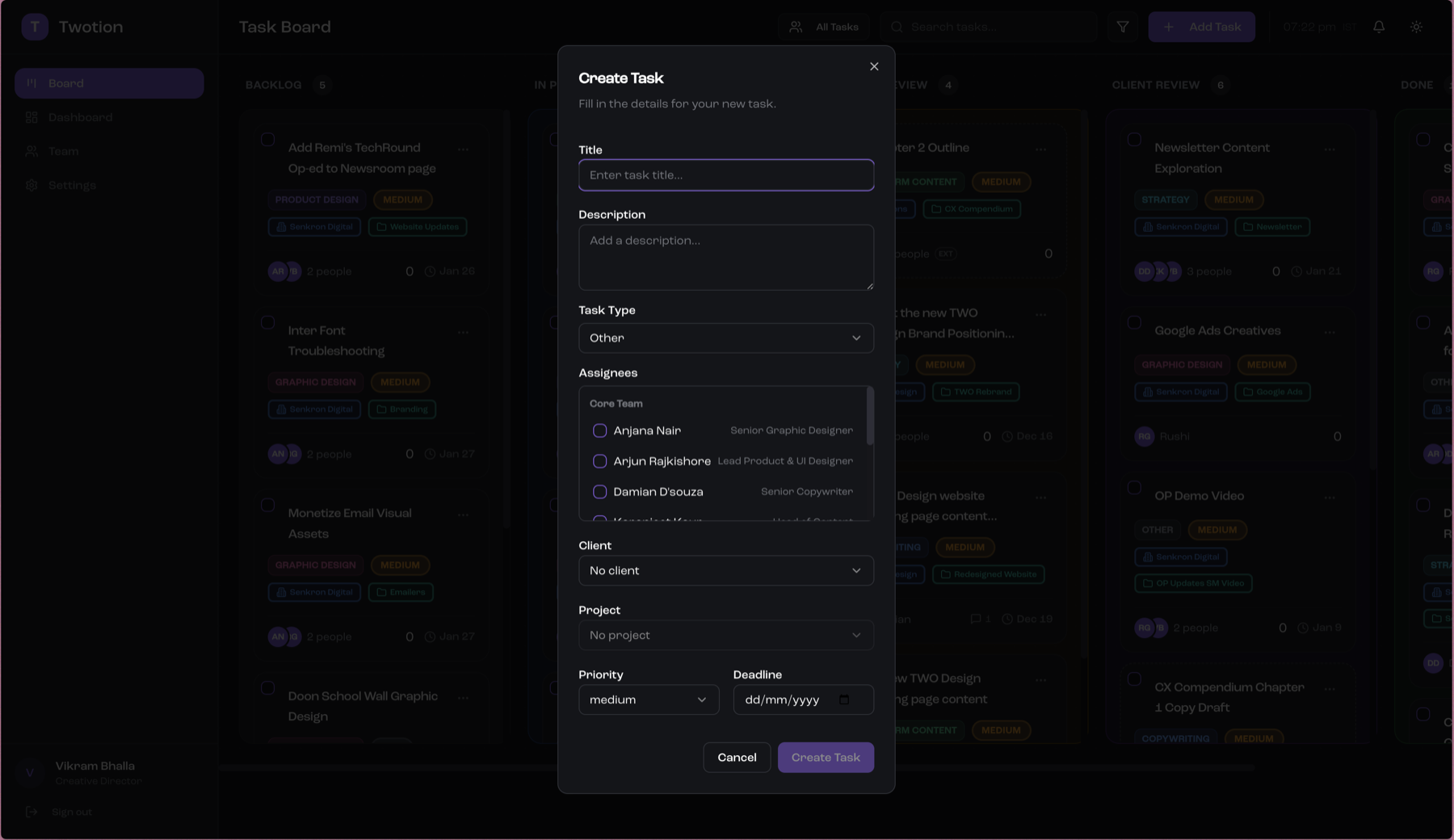
Create task modal showing form fields for title, description, assignees, and deadline

The fix was pragmatic: ditch the drag functionality entirely on mobile. Instead, you tap the three dots in the corner of any card and select which column to move it to. Sometimes the best solution is the simpler one.

The Intelligence Layer

I like adding an "AI layer" to almost everything I build. Not because it's the latest corporate buzzword, but because we live in a world where we can inject genuine intelligence into the tools we create. Why wouldn't you?

For Twotion, that meant two things:

  • Smart suggestions: When I type a task title, Claude suggests the task type and which team member should handle it based on context. One less thing for me to do manually.
  • Weekly summaries: Every Friday, I get an AI-generated review of what the team accomplished. Every Monday, a preview of what's ahead. Small conveniences that compound across dozens of tasks per week.
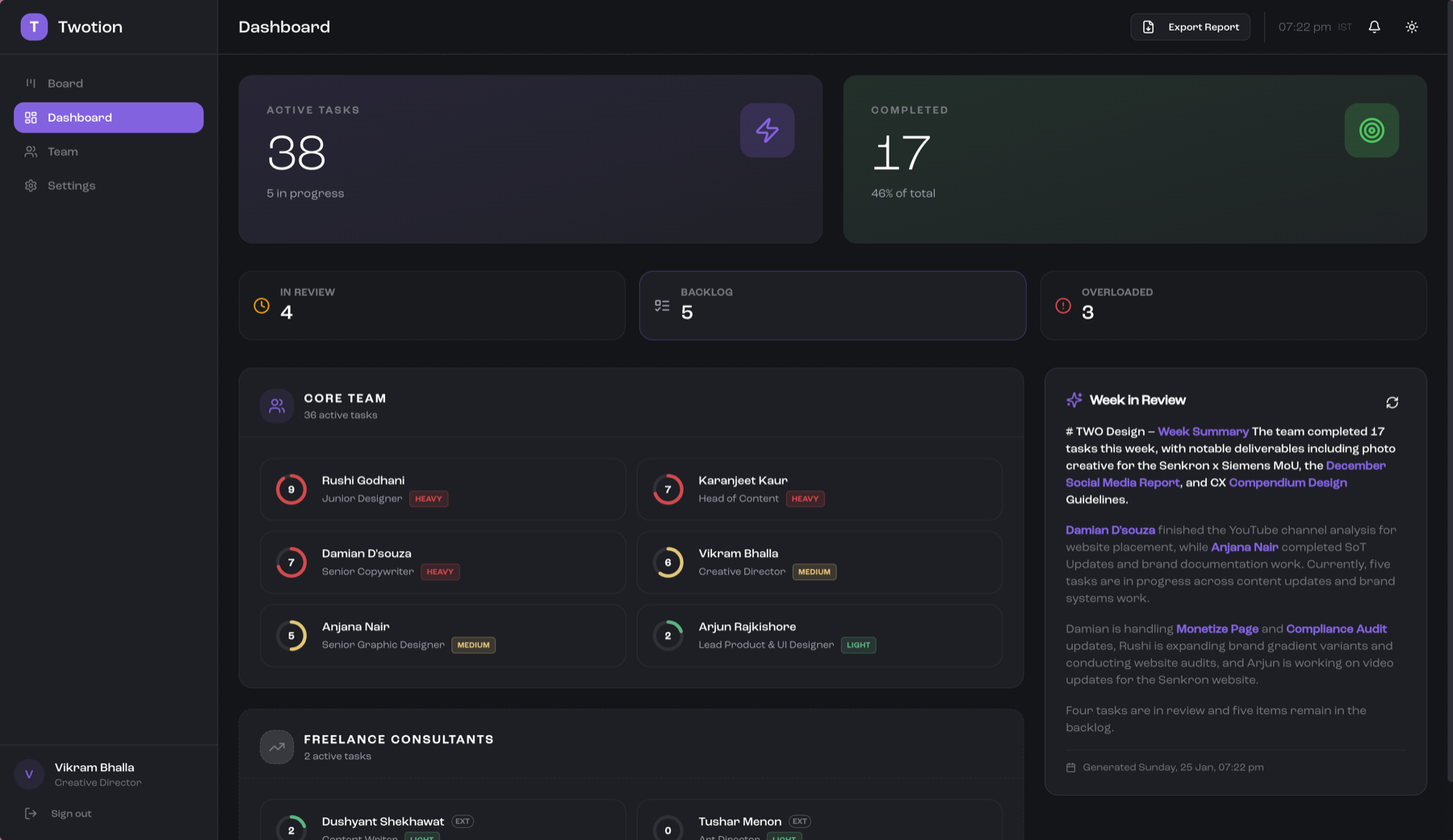
Twotion dashboard showing active tasks, team workload indicators, and AI-generated weekly summary

The Reaction

When I showed Twotion to the team, the reaction came in two parts. First: awe that someone with zero engineering background could build something like this over a weekend. Second: curiosity about how the hell I did it.

We'd been toying with the idea of paying for a team subscription to Notion or Trello. This solved the same problem for nearly zero cost—just the Railway hosting fees, which are negligible.

The Payoff

Here's the irony: I still do the WhatsApp morning ritual. But the scrambling has disappeared. No more hunting through emails, checking handwritten notes, or trying to remember who's working on what. I just open Twotion, move cards around as needed, figure out the right task for the right person, and ping them.

Honestly, I use the tool more than anyone else on the team. As the creative director and puppet master, it's my job to make sure everyone's working on the right things, in the right order, without getting overloaded. Given that our entire team is creative, not letting them burn out is a huge thing. And Twotion's workload indicators let me see when someone's heading toward the red zone before it becomes a problem.

My mental bandwidth is way freer now. I'm able to focus on the more important—read: more fun—stuff.

The Takeaway

Building Twotion wasn't magic. It required everything I'd learned over the past couple of years—how code actually works, what backends do, how deployment pipelines fit together. Claude Code did the heavy lifting, but I had to know what to ask for and how to course-correct when things went sideways.

The friction removed isn't in the building—it's in the using. What used to eat up my mornings now takes a glance at the board. And that freed-up bandwidth? It goes right back into the creative work I actually enjoy.

Twotion

A basic-ass Notion for a growing agency—built in a weekend to eliminate the chaos of managing creative teams.

Twotion kanban board showing task cards organized by status columns

The Friction

As TWO Design began to grow, so did the chaos. Suddenly I had multiple projects running simultaneously, team members to coordinate, and a "system" that consisted of tagging people on our WhatsApp group every morning with their tasks for the day.

Things slipped through the cracks constantly. I'd invariably miss something, scramble later in the day to reach the relevant team member, and deadlines would slip because a particular task fell off my radar entirely. The mental overhead of keeping everything in my head was exhausting—and it was taking time away from the actual creative work.

The Breaking Point

The obvious solutions didn't fit. Trello and Notion came with per-seat pricing that adds up fast for a small agency, plus a thousand features nobody asked for. All I needed was a simple kanban board—a clear view of who's working on what, without the bloat or the bill.

The name practically wrote itself: Notion for TWO. Twotion.

The Build

What started as a long weekend experiment turned into something genuinely useful. I chose Bun as the runtime—partly because Anthropic's acquisition of them had made me curious, partly because it turned out to be perfect for this kind of project. Railway handled deployment, which felt less daunting than the bigger, more expensive options.

Claude Code did most of the heavy lifting. But the twist was using its frontend-design skill with one directive: make it look un-AI. I was tired of the generic, soulless aesthetic that AI-generated interfaces tend to have. The first iteration was shockingly good. I layered my own ideas for fonts and UX on top, and Claude immediately got to work implementing them.

The MVP was done in just over a long weekend. A more polished version, incorporating feedback from the team, took about a week.

The Speed Bumps

Mostly smooth sailing, with one notable exception: drag-and-drop on mobile was a mess. Cards wouldn't respond reliably, the interaction felt janky, and it was clear the standard drag-and-drop library wasn't built with touch screens as a priority.

Create task modal showing form fields for title, description, assignees, and deadline

The fix was pragmatic: ditch the drag functionality entirely on mobile. Instead, you tap the three dots in the corner of any card and select which column to move it to. Sometimes the best solution is the simpler one.

The Intelligence Layer

I like adding an "AI layer" to almost everything I build. Not because it's the latest corporate buzzword, but because we live in a world where we can inject genuine intelligence into the tools we create. Why wouldn't you?

For Twotion, that meant two things:

  • Smart suggestions: When I type a task title, Claude suggests the task type and which team member should handle it based on context. One less thing for me to do manually.
  • Weekly summaries: Every Friday, I get an AI-generated review of what the team accomplished. Every Monday, a preview of what's ahead. Small conveniences that compound across dozens of tasks per week.
Twotion dashboard showing active tasks, team workload indicators, and AI-generated weekly summary

The Reaction

When I showed Twotion to the team, the reaction came in two parts. First: awe that someone with zero engineering background could build something like this over a weekend. Second: curiosity about how the hell I did it.

We'd been toying with the idea of paying for a team subscription to Notion or Trello. This solved the same problem for nearly zero cost—just the Railway hosting fees, which are negligible.

The Payoff

Here's the irony: I still do the WhatsApp morning ritual. But the scrambling has disappeared. No more hunting through emails, checking handwritten notes, or trying to remember who's working on what. I just open Twotion, move cards around as needed, figure out the right task for the right person, and ping them.

Honestly, I use the tool more than anyone else on the team. As the creative director and puppet master, it's my job to make sure everyone's working on the right things, in the right order, without getting overloaded. Given that our entire team is creative, not letting them burn out is a huge thing. And Twotion's workload indicators let me see when someone's heading toward the red zone before it becomes a problem.

My mental bandwidth is way freer now. I'm able to focus on the more important—read: more fun—stuff.

The Takeaway

Building Twotion wasn't magic. It required everything I'd learned over the past couple of years—how code actually works, what backends do, how deployment pipelines fit together. Claude Code did the heavy lifting, but I had to know what to ask for and how to course-correct when things went sideways.

The friction removed isn't in the building—it's in the using. What used to eat up my mornings now takes a glance at the board. And that freed-up bandwidth? It goes right back into the creative work I actually enjoy.